Aim and shooting
Combat
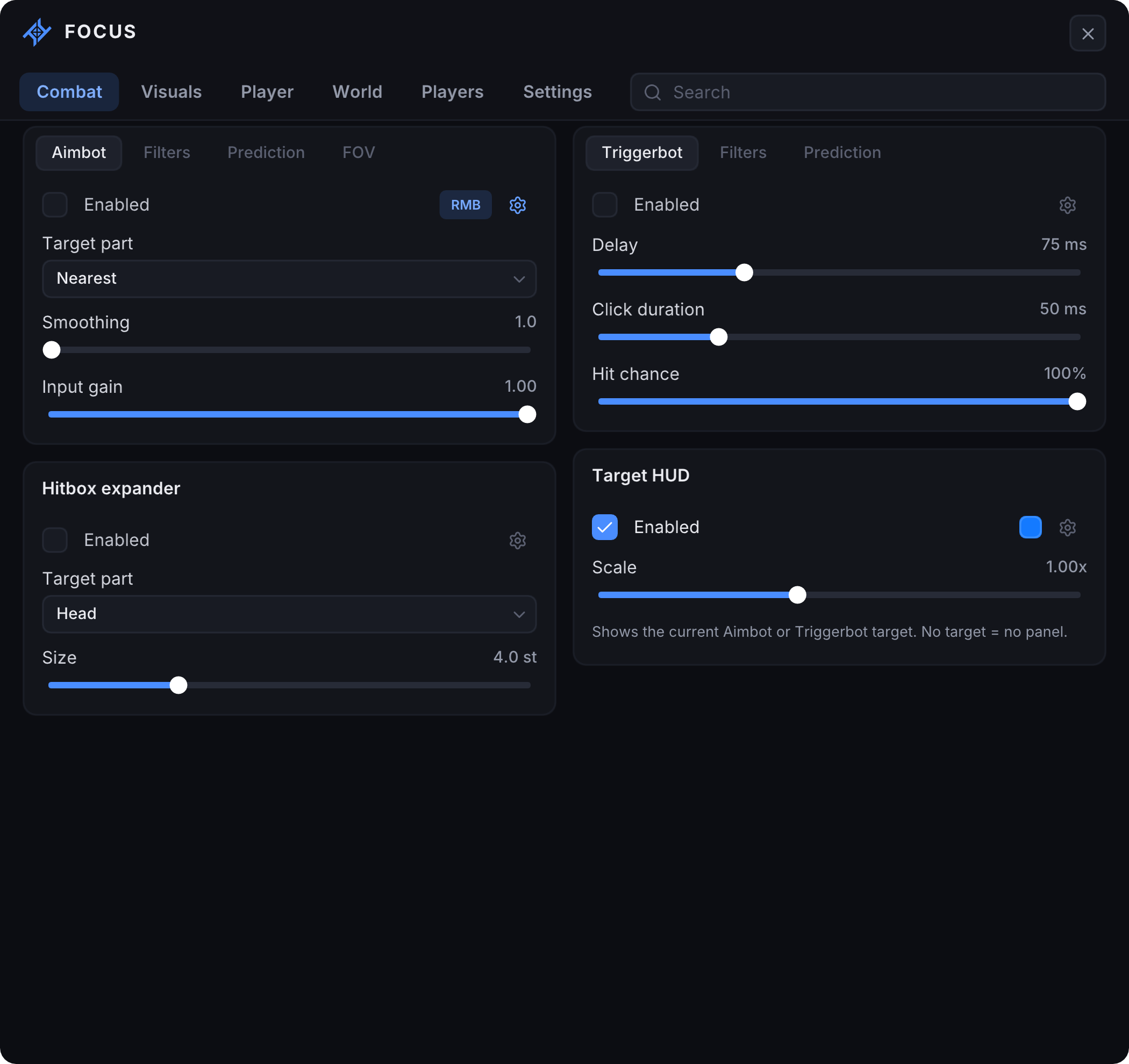
AimbotAim control, target filters and prediction.
Aiming
- Target part: Head, Torso or Nearest
- Aim smoothing
- Input gain
Filters
- Team Check
- Visible Check — independent of ESP
- Maximum distance
Prediction and FOV
- Motion prediction and lookahead time
- FOV radius, visibility and color
TriggerbotAutomatic clicks when aiming at a target.
Activation
- Click delay and duration
- Hit chance
Filters
- Hitboxes: all, head, torso, arms or legs
- Team Check and Visible Check
- Maximum distance
Prediction
- Horizontal and vertical factors
- Prediction point display
Hitbox expanderChoose a target part and hitbox size.
Settings
- Target part: Head or Torso
- Expansion size
Target HUDCurrent Aimbot or Triggerbot target.
Settings
- Panel color
- Scale
- Hidden when no target is selected
Player visuals
Visuals
ESPBoxes, labels, weapons and tracers.
Players and visibility
- Team Check and Self ESP
- Separate enemy, team and self colors
- Visible and hidden colors for enemies and teammates
- Maximum distance
- Draggable preview of the current in-game character
Boxes
- Full box or Corners
- Fill, width and padding
- Separate outline and fill colors
Labels
- Name, distance and equipped weapon
- Avatar and border color
- Text size and individual label colors
Tracers
- Top or bottom tracer origin
- Thickness and color
- No tracer to your own character
ChamsIn-game character highlighting.
Settings
- Four styles
- Color and opacity
- Animation
- Not applied to the ESP preview model
Direction arrowsDirectional arrows pointing to players.
Settings
- Display radius
- Arrow size
- Custom color
SkeletonCharacter skeleton lines.
Settings
- Line thickness
- Custom color
Head dotHead marker with a maximum size limit.
Settings
- Fill
- Scale relative to head size
- Maximum radius
- Custom color
HealthHealth bar with a color gradient.
Settings
- Full health color
- Low health color
Character movement
Player
SpeedAdjustable movement speed.
Settings
- Speed: 1–150 st/s
- Custom keybind and activation mode
FlyFlight with adjustable speed.
Settings
- Speed: 5–75 st/s
- Custom keybind and activation mode
JumpInfinity Jump and Jump Boost.
Jumping
- Infinity Jump: tap or hold Space
- Jump Boost: adjustable jump force
SpiderWall climbing.
Settings
- Climb speed: 15–90 st/s
- Custom keybind and activation mode
Other movementNo Clip and Anti-AFK.
DesyncCharacter position desynchronization.
Settings
- Hold the assigned key to activate
- Start position marker and color
- Restores normal behavior when the key is released or the menu opens
Camera and environment
World
Free cameraFree camera with teleport to camera.
Camera
- Movement speed
- WASD and mouse — move and look
- Space / Ctrl — up / down
- Custom teleport-to-camera keybind
Local timeLocal time of day.
Settings
- Time selection from 0 to 24 hours
BrightnessLocal brightness control.
Settings
- Brightness level from 0 to 10
WaypointsNamed waypoints for the current game.
Waypoints
- Add at the character or Free Camera position
- Multiple named waypoints
- Waypoint display and custom keybind
- Teleport to the selected waypoint
- Rename and delete
Server players
Players
Server playersAutomatically updated player list.
List
- Search by name
- Local player indicator
- Character readiness indicator
Selected playerActions for the selected player.
Actions
- Teleport to player
- Spectate player
- Stop spectating
Interface and configuration
Settings
ProfilesSave and load settings.
Profiles
- Name, save and load profiles
- Delete and refresh profiles
- Auto-load the last profile
InterfaceMenu appearance and keybinds.
Menu
- Menu key
- Scale from 75 to 150%
- Interface animations
- Overlay frame limit: 50–72 FPS
- Anti Capture for supported capture methods
Colors
- Accent, window and card colors
- Restore default colors
Keybinds
- Per-feature keybinds
- Hold, Toggle and Always On modes
PanelsHotkey list and Roblox FPS counter.
Hotkeys
- Bound features and their active states
- Panel position, scale and dragging
Roblox FPS
- Roblox frame rate display
- Panel position, scale and dragging
- Request FPS counter access
SessionHide the menu or close FOCUS.
Actions
- Hide the menu without closing the app
- Unload FOCUS — restore changes and exit